
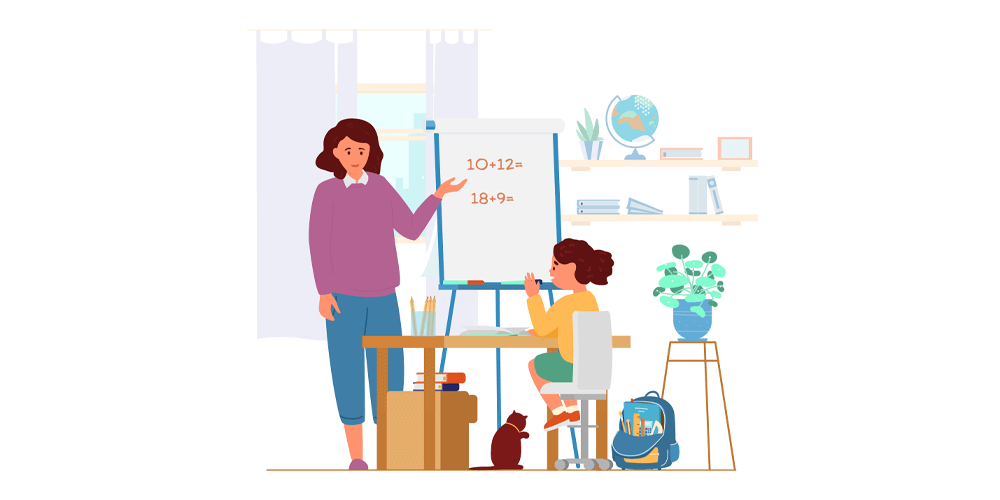

Homeschooling has changed a lot over the past few years. Today, technology for homeschooling helps families create fun, flexible, and effective learning experiences at home. Students can attend live classes, watch educational videos, complete interactive lessons, and work with teachers from anywhere. Parents can also track progress, organize schedules, and find quality learning materials with just a few clicks.
The best part is that technology does not replace parents or teachers. Instead, it supports them by making learning more engaging and easier to manage. From educational apps and online learning platforms to digital classrooms and virtual science labs, modern tools give children more opportunities to explore subjects in creative ways. In this guide, you will learn how to choose the right technology, avoid common mistakes, and build a successful homeschool environment that keeps students motivated every day.
Why Technology for Homeschooling Is Becoming More Popular
Many families choose homeschooling because they want flexible learning schedules and personalized education. Modern technology for homeschooling makes this possible by providing instant access to educational resources from around the world. Instead of relying only on printed textbooks, students can watch educational videos, complete quizzes, attend virtual classes, and practice skills through interactive games.
Technology also supports different learning styles. Visual learners enjoy videos and animations. Reading-focused students benefit from digital books and online articles. Hands-on learners can use virtual labs and educational simulations. Parents appreciate the ability to monitor assignments, grades, and attendance from one dashboard. As internet access improves, homeschooling continues to become easier, more organized, and more enjoyable for families of all sizes.
Benefits of Using Technology for Homeschooling
One of the biggest advantages of technology for homeschooling is flexibility. Students can study at their own pace without feeling rushed. If a lesson feels difficult, they can replay videos or review digital notes until they understand the topic. This creates confidence and reduces learning stress.
Technology also makes education more engaging. Interactive quizzes, educational games, and multimedia lessons keep students interested for longer periods. Parents save time because many digital tools automatically grade assignments and organize lesson plans. Another major benefit is access to experts and courses that may not be available locally. Students can learn coding, music, foreign languages, and advanced science from experienced instructors online without leaving home.
Essential Devices Every Homeschool Family Should Consider
Choosing the right devices improves the learning experience. A reliable laptop is often the best choice because it supports research, writing assignments, online classes, and educational software. Tablets are excellent for younger learners who enjoy touch-based activities, digital drawing, and reading interactive books.
A quality webcam and headset improve communication during virtual lessons. A printer remains useful for worksheets and projects, while cloud storage protects important files from being lost. Parents should also invest in stable internet service because reliable connections reduce interruptions during online learning. These simple tools create a productive homeschool workspace that supports daily education.
Best Online Learning Platforms
Online learning platforms provide complete lessons across many subjects. These platforms include videos, quizzes, assignments, and progress reports. Many also allow parents to customize learning schedules based on each child’s needs and interests.
When choosing a platform, look for easy navigation, age-appropriate content, regular updates, and strong customer support. Reading user reviews and trying free trials can help parents make better decisions. A good platform should encourage curiosity instead of simply presenting information. The goal is to make learning enjoyable while building long-term knowledge and confidence.
Educational Apps That Improve Learning
Educational apps help children practice important skills through fun activities. Math games strengthen problem-solving abilities. Reading apps improve vocabulary and comprehension. Science apps include interactive experiments, while language learning apps introduce new words through games and speaking exercises.
Parents should select apps that match their child’s age and learning goals. Too many apps may become distracting, so focusing on a few high-quality options usually works better. Regularly reviewing progress helps parents understand which apps provide the greatest educational value and keep children motivated.
Creating a Successful Digital Classroom at Home
A dedicated learning space improves focus and productivity. Even a small, quiet corner can become an effective digital classroom. Good lighting, comfortable seating, organized supplies, and minimal distractions help children stay engaged during lessons.
Parents should also create a daily routine with scheduled study times, breaks, and physical activities. Consistency builds healthy learning habits. Digital calendars and reminder apps help everyone stay organized. Encouraging children to ask questions and discuss what they learn creates a positive environment where education feels exciting instead of stressful.
Internet Safety and Digital Responsibility
While technology for homeschooling offers many benefits, online safety remains very important. Parents should teach children how to protect personal information and avoid unsafe websites. Strong passwords and parental controls provide extra protection during online learning.
Children also need guidance on respectful online behavior. They should understand how to communicate kindly during virtual classes and avoid sharing private details with strangers. Regular conversations about internet safety help children develop responsible digital habits that will benefit them throughout life.
Managing Screen Time the Right Way
Using technology wisely means balancing digital learning with offline activities. Long hours in front of screens may reduce focus and cause eye strain. Parents should schedule regular breaks where children stretch, walk, or play outside.
Reading printed books, completing art projects, gardening, cooking, and conducting simple science experiments all provide valuable learning experiences away from screens. A balanced routine supports physical health while making technology feel like a helpful educational tool rather than constant entertainment.
Personalized Learning Through Technology
Every child learns differently. One reason technology for homeschooling continues growing is its ability to personalize education. Adaptive learning software adjusts lesson difficulty based on student performance. Faster learners move ahead, while struggling students receive additional practice.
Parents can also customize lesson plans according to their child’s interests. A student who loves space can explore astronomy projects, while another interested in history can enjoy virtual museum tours. Personalized learning increases motivation because students connect lessons with their own curiosity and goals.
Common Challenges and Practical Solutions
Technology can sometimes create distractions. Social media, games, and entertainment websites may interrupt learning. Parents can reduce distractions by using website blockers during study time and creating clear technology rules.
Technical problems also happen occasionally. Keeping devices updated and backing up important files helps prevent frustration. Families should remember that learning does not always require technology. Reading books, writing journals, and conducting simple home experiments remain valuable educational activities when internet problems occur.
Future Trends in Homeschool Technology
The future of technology for homeschooling looks exciting. Artificial intelligence is helping create personalized lessons based on each student’s strengths and weaknesses. Virtual reality allows children to visit historical landmarks, explore the human body, or travel through space without leaving home.
Gamified learning continues to grow because students often stay motivated when lessons include challenges and rewards. Improved collaboration tools also make it easier for homeschool students to participate in group projects with learners from different locations. These innovations promise even more engaging educational experiences in the coming years.
Tips for Choosing the Right Technology
Not every educational tool is the best fit for every family. Parents should first identify learning goals before purchasing software or devices. Consider ease of use, content quality, customer reviews, pricing, and ongoing support.
Start with essential tools instead of buying everything at once. Test free versions whenever possible and ask children which resources they enjoy most. The best technology supports learning without becoming overwhelming. A thoughtful approach saves money while creating a more enjoyable homeschool experience.
Conclusion
Technology continues to transform home education in meaningful ways. The right technology for homeschooling makes learning flexible, interactive, and personalized for every child. It helps parents organize lessons, monitor progress, and provide educational opportunities that were once difficult to access.
Success depends on using technology as a learning partner instead of allowing it to become a distraction. By choosing reliable devices, quality educational platforms, safe online practices, and balanced daily routines, families can build a rewarding homeschool experience that prepares children for lifelong learning. As technology continues to improve, homeschooling will become even more accessible, engaging, and effective for students around the world.
Frequently Asked Questions
1. What is technology for homeschooling?
Technology for homeschooling includes digital devices, educational apps, online learning platforms, virtual classrooms, and software that support learning at home.
2. Which device is best for homeschooling?
A laptop is usually the best option because it supports online classes, assignments, research, writing, and educational software.
3. How much screen time is healthy during homeschooling?
The ideal amount depends on the child’s age. Regular breaks and offline activities should always balance digital learning.
4. Is online homeschooling effective?
Yes. When combined with good teaching, consistent schedules, and quality educational resources, online homeschooling can produce excellent learning outcomes.
5. What are the biggest benefits of technology for homeschooling?
The biggest benefits include flexible schedules, personalized learning, interactive lessons, progress tracking, and access to educational resources from anywhere.
6. How can parents keep children safe online while homeschooling?
Parents should use parental controls, teach internet safety, monitor online activity, create strong passwords, and encourage responsible digital behavior.
LSI & Semantic Keywords Used Naturally: online learning, homeschool curriculum, educational technology, digital learning tools, virtual classroom, e-learning, educational apps, homeschooling resources, remote learning, online education, digital education, learning management system, virtual learning, homeschool software, personalized learning, interactive lessons, distance learning, home education technology.